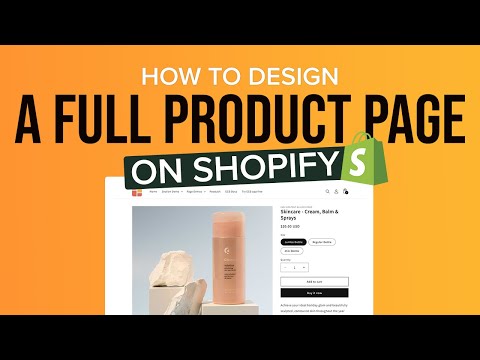
You’ll get to know the basics of the Dawn theme settings and easily turn a default Shopify product page into an amazing one — no tech skills needed! You can tailor your product page with cool sections like:
- Free Shipping & Return Info
- Video Slider (next to the Add to Cart button)
- What Makes Us Unique
- You May Also Like
- A scrolling text bar
- Certifications (think Featured Media logos, Testimonials, etc.)
- How to Use
- Key Benefit Highlights
- A Review Placeholder Section
- Another Video Slider
- A Product Comparison Chart
- Blog Post Carousel
––––––––––––––––––––––––––––––––––––––––––––
Here's what we cover in this video:
00:13 - Overview of the complete product page we’ll be building
01:05 - Setting up a template for your product page using Easy Content Builder
01:44 - The basic settings of the Dawn theme
02:35 - Adding a Free Shipping & Return Info section (next to Add to Cart)
04:13 - Incorporating a Video Slider (next to Add to Cart)
05:27 - Crafting the What Makes Us Different section
06:51 - Creating the You May Also Like section
08:00 - Adding a Scrolling Text Bar
09:24 - Building the Certifications section
10:41 - Designing the How To Use section
13:57 - Highlighting the Key Benefits section
16:05 - Adding a Review placeholder section
16:63 - Creating another Video Slider
17:40 - Building a Product Comparison Table
20:02 - Setting up a Blog Post carousel
20:50 - Previewing and optimizing for Mobile view
21:27 - Viewing the complete product page on the frontend.
––––––––––––––––––––––––––––––––––––––––––––
USEFUL LINKS:
🌟 Download Easy Content Builder app: https://apps.shopify.com/easy-content-builder
🌟 How to create a template for multiple product pages: https://www.youtube.com/watch?v=zntR-9xw0z4&t=174s
🌟 Three ways to add videos to your Shopify product pages: https://www.youtube.com/watch?v=xQ19apSSOzI
🌟 Step-by-step guides for creating templates on Shopify using Easy Content Builder: https://docs.posstack.com