The Circle Menu section in Easy Content Builder transforms the collection list into a 'bubble navigation' that fits well on any device. It allows you to incorporate a circle, square, or pill menu to showcase your featured product collections anywhere within your Shopify store.
Moreover, Easy Content Builder supports structured data (schema.org) to enrich the Circle Menu's snippets, boosting the SEO performance of your Shopify store.
––––––––––––––––––––––––––––––––––––––––––––
USEFUL Shopify Sections:
✅ Add Product Comparison Chart: https://youtu.be/3-7nTz-c4yQ?si=sUF1uqIg2MHlE3q4
✅ Add a Custom Hero section: https://youtu.be/uspAswjgQxs?si=_-YDYQR_TgQV4XJu
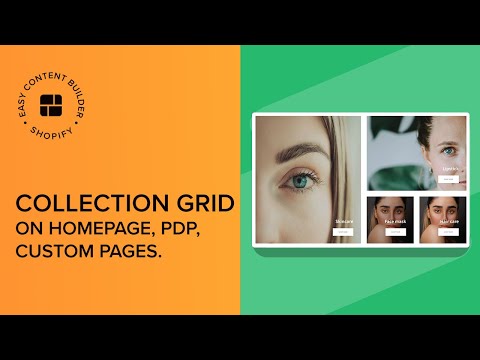
✅ Add a Collection Grid: https://youtu.be/pHMFVtlFG48?si=437Mi2uGZgWlDxVj
✅ Add an auto-scrolling logo list: https://youtu.be/23m3fbMu0Ic?si=7mgB3FZ1Sc9O1Axt
✅ Create a rich text section overlapping an image in Shopify https://youtu.be/-EHTyVR-bzI?si=oBEQIclj_kJtLZwg
✅ Create a metaobject template on Shopify: https://youtu.be/8ketmVfzQ78?si=qjTQmLADJtz9EuRV
✅ Set up multi-column layouts for a section on Shopify https://youtu.be/DTAOoz3jPEA?si=WzPtf-B-Ogvc_sgX
––––––––––––––––––––––––––––––––––––––––––––
USEFUL LINKS:
🌟 Download Easy Content Builder app: https://apps.shopify.com/easy-content-builder
🌟 Step-by-step guides for creating multiple layouts on Shopify: https://docs.posstack.com/index.php/Block_Circle_Menu
––––––––––––––––––––––––––––––––––––––––––––
Here's what we cover in this video:
00:01 - Add a Circle Menu to collection pages
00:27 - Change the menu to a Square shape
00:32 - Switch the menu to the Pill shape
00:39 - Personalize the menu item's color
00:50 - Switch from Slider to the Grid layout